1) Microsoft Teams meeting plus Poly SIP/H.323 room devices with internet access are required to complete this task.
2) Refer to your Microsoft Teams meeting invitation for the Video Conference ID (10 digits) in your Outlook or Teams application. In the screenshot below, it is 113 *** *** *.
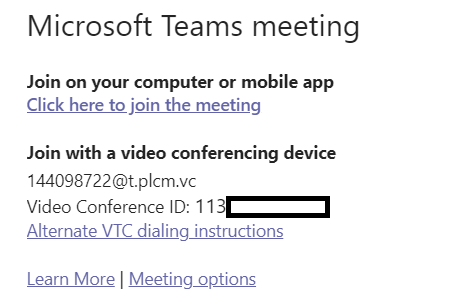
3) From the Polycom room systems, locate address book entry 144098722@t.plcm.vc and dial. Alternatively, enter the URL via remote control.
4) When prompted by Poly RealConnect, enter Video Conference ID using #<conferenceID># sequence.
5) For assistance, please contact IT team.
Comments
0 comments
Article is closed for comments.